Why Demos Can Be Misleading
Virtual try-on marketing tends to lead with the best possible case: a clean product photo, a cooperative pose, a garment that isn't too complex. It's easy to look impressive that way and hard to tell from a screenshot alone whether a tool actually works for your catalog.
We'd rather show a real, unedited output and let you judge the quality yourself.
What Full Quality Mode Does
MODERA Try-On has three quality tiers — performance, balanced, and quality — trading generation time for fidelity. Quality mode takes longer (closer to 30 seconds than the ~15 seconds of performance mode) but pays more attention to fabric drape, shadow consistency, and how the garment interacts with the body's pose rather than sitting on top of it like a flat overlay.
The Result, Unedited
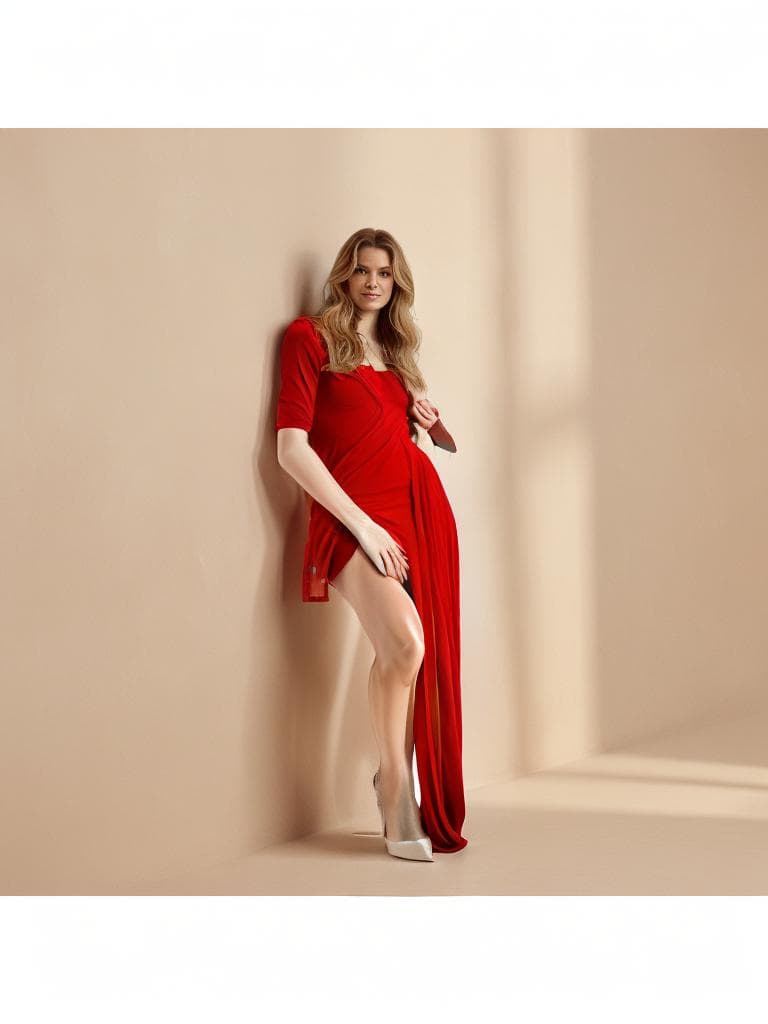
This post's cover image is a real, unedited Try-On result in quality mode: an AI-generated model wearing a red dress, full-body category, no retouching afterward. Notice the fabric fold and drape following the pose, and the shadow on the wall behind her matching the lighting on the dress — details that are easy to get wrong and immediately visible when they are.
Where Try-On Still Struggles
We're not going to pretend every result is perfect. Very complex garments — heavy layering, intricate patterns that need to wrap correctly around a 3D pose, unusual silhouettes — are harder than a simple dress or jacket, and results can vary. Category selection matters too: picking full_body for a full-length garment versus upper_body for a top makes a real difference in output quality.
If a result doesn't look right, regenerating with a different quality mode or a clearer source photo often helps.
Try It Yourself
Try-On is available at app.modera.fashion with a limited number of free generations per hour — no subscription required to use it. Upload your own photo and garment, or start with one of the built-in sample images, and judge the result the same way we just did: unedited, at quality mode.